SMTP
The SMTP configuration allows you to set up email sending for BrainScore. This is required for sending emails such as password resets, email verifications, and subscription notifications.
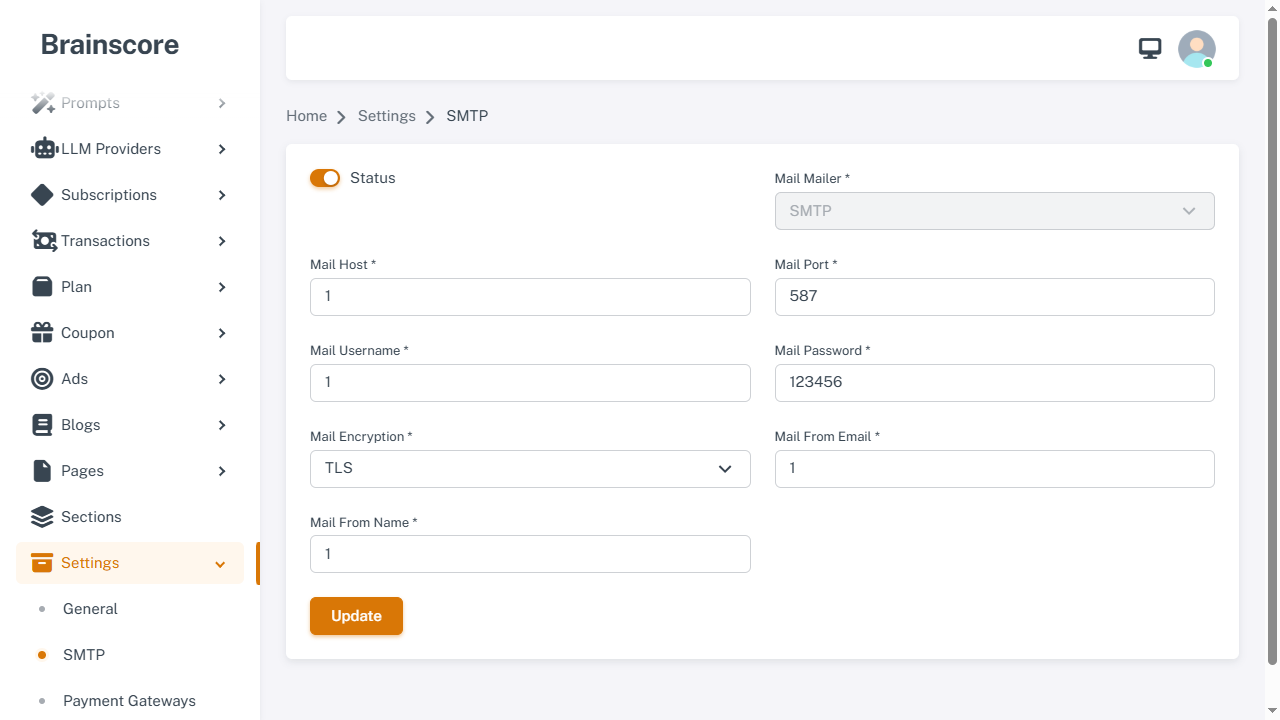
Form Fields
- Status: Toggle to enable/disable email configuration
- Mail Mailer *: Mail driver
- smtp: Send email via an SMTP server (most common)
- sendmail: Send email via the server’s Sendmail binary (advanced)
- Mail Host *: SMTP server hostname (e.g.,
smtp.gmail.com,smtp.mailtrap.io) (required when Status is enabled) - Mail Port *: SMTP port number (commonly
587for TLS,465for SSL) (required when Status is enabled) - Mail Username *: SMTP username/email address (required when Status is enabled)
- Mail Password *: SMTP password or app-specific password (required when Status is enabled)
- Mail Encryption *: Encryption method (required when Status is enabled)
- tls: Transport Layer Security (recommended, usually port
587) - ssl: Secure Sockets Layer (usually port
465)
- tls: Transport Layer Security (recommended, usually port
- Mail From Email *: Email address that appears as sender (required when Status is enabled)
- Mail From Name *: Name that appears as sender (required when Status is enabled)
Common SMTP Providers
Gmail
- Host:
smtp.gmail.com - Port:
587(TLS) or465(SSL) - Username: Your Gmail address
- Password: App-specific password (not your regular password)
- Encryption: TLS (recommended) or SSL
Note: Enable 2-factor authentication and generate an app-specific password in your Google Account settings.
Outlook/Hotmail
- Host:
smtp-mail.outlook.com - Port:
587 - Username: Your Outlook email address
- Password: Your Outlook password
- Encryption: TLS
Mailtrap (Testing)
- Host:
smtp.mailtrap.io - Port:
2525or587 - Username: Your Mailtrap username
- Password: Your Mailtrap password
- Encryption: TLS
SendGrid
- Host:
smtp.sendgrid.net - Port:
587 - Username:
apikey - Password: Your SendGrid API key
- Encryption: TLS
Mailgun
- Host:
smtp.mailgun.org - Port:
587 - Username: Your Mailgun SMTP username
- Password: Your Mailgun SMTP password
- Encryption: TLS
Usage Steps
- Enable the Status toggle
- Choose Mail Mailer (
smtporsendmail) - If using smtp, enter Host, Port, Username, Password, and Encryption
- Enter From Email and From Name
- Click Update to save
Important Notes
- Required When Enabled: When Status is enabled, BrainScore requires all email fields to be filled.
- Port Numbers:
- Port
587: Usually for TLS - Port
465: Usually for SSL - Port
25: Usually unencrypted (not recommended)
- Port
- Gmail: Requires app-specific password, not your regular Gmail password
- Testing: Use Mailtrap or similar service for testing email functionality
- From Email: Should match or be verified with your SMTP provider
- Security: Never share your SMTP credentials publicly
- Troubleshooting: If emails aren't sending, check:
- Firewall settings
- SMTP credentials are correct
- Port is not blocked by your hosting provider
- Encryption type matches the port