Mail Templates
The Mail Templates configuration allows you to customize email templates sent to users. You can edit templates for different languages and use variables to personalize the content.
List Mail Templates
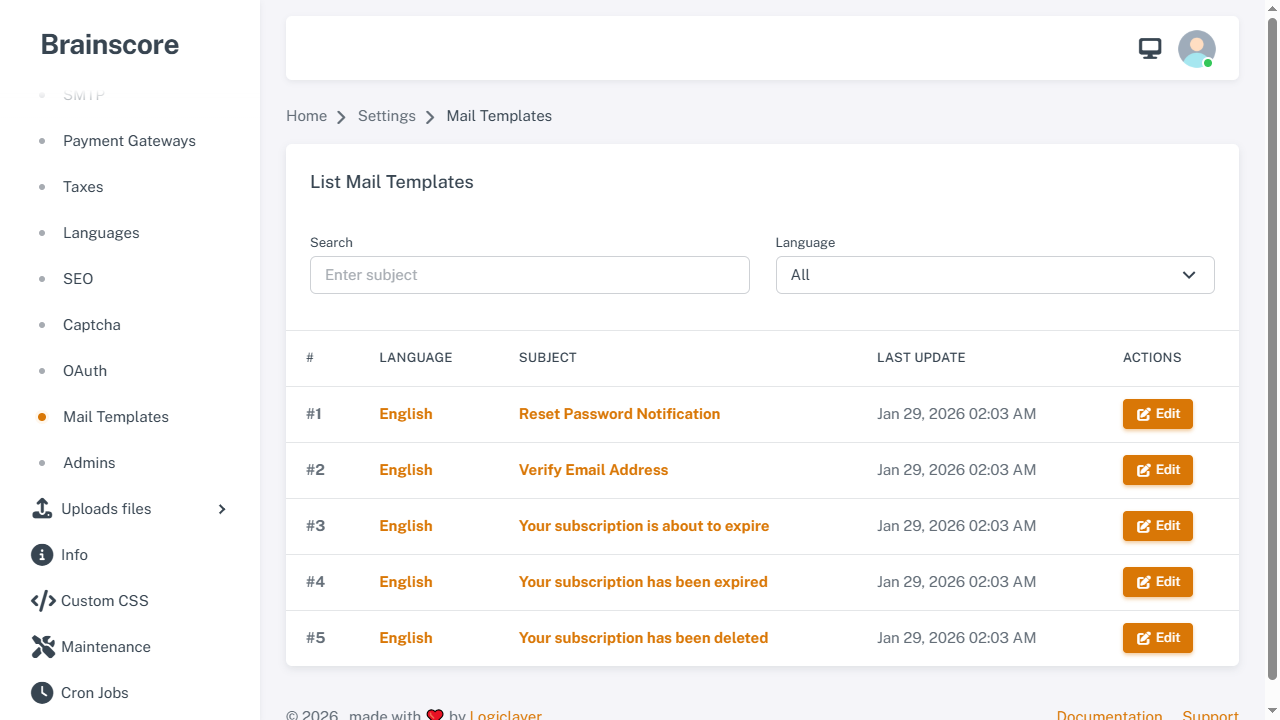
The list page displays all email templates. You can search by subject or filter by language. Click Edit to modify a template.
Edit Mail Template
Form Fields
- Language *: The language for this template (cannot be changed after creation)
- Subject *: Email subject line
- Body *: Email content with HTML support (CKEditor)
Available Variables
You can use these variables in your email templates:
@{{ link }}: Password reset link@{{ expiry_time }}: Link expiry time@{{ website_name }}: Your website name@{{ plan }}: Plan name@{{ expiry_date }}: Subscription expiry date@{{ username }}: Username
Mail Template Types
The system includes the following email templates:
- Reset Password Notification: Sent when users request password reset
- Verify Email Address: Sent for email verification
- Your subscription is about to expire: Reminder before subscription expires
- Your subscription has been expired: Notification when subscription expires
- Your subscription has been deleted: Notification when subscription is deleted
Usage Steps
- Navigate to Settings > Mail Templates
- Search or filter templates by language
- Click Edit on the template you want to modify
- Update the Subject and Body fields
- Use variables (e.g.,
@{{ username }}) to personalize content - Click Update to save changes
Important Notes
- Language-Specific: Each template is created per language. You need to edit templates for each language separately
- HTML Support: The body field supports HTML formatting using CKEditor
- Variables: Use variables with
@{{ variable_name }}syntax to insert dynamic content - Testing: Test your email templates after editing to ensure they display correctly