SEO
The SEO configuration allows you to set up meta tags and search engine optimization settings for your website. You can create SEO configurations for each language to optimize your site for search engines.
List SEO
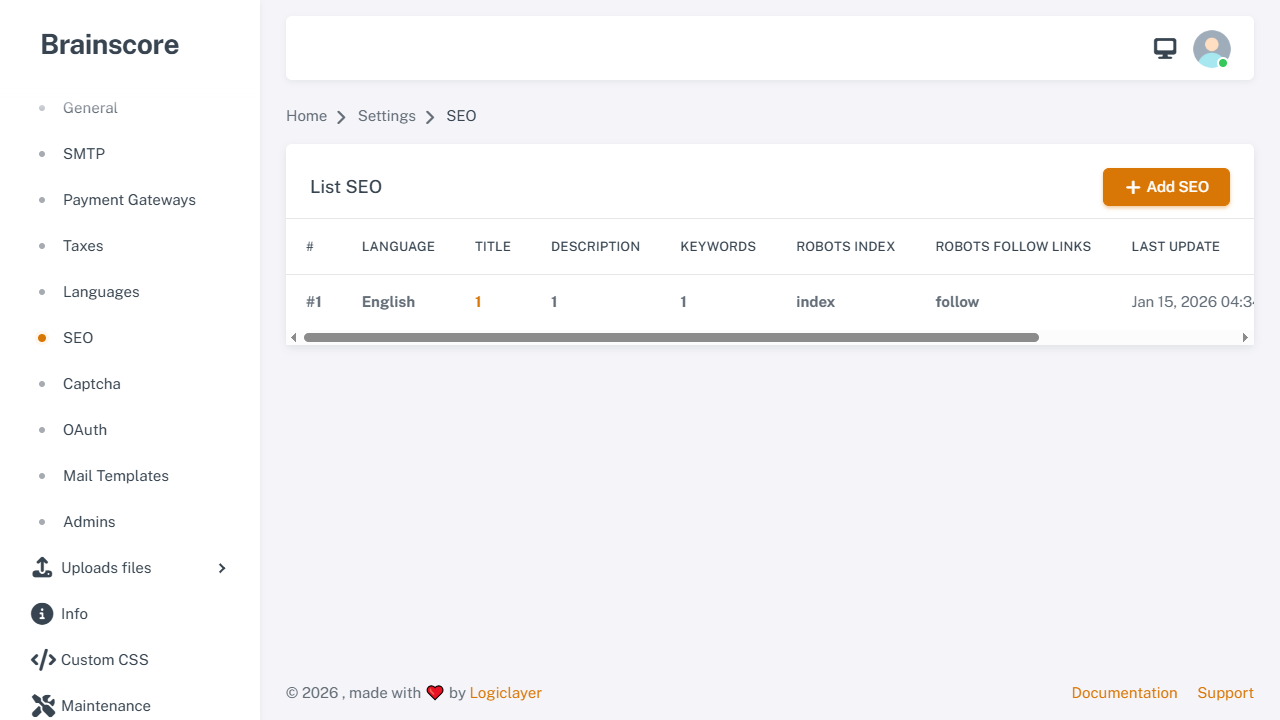
The list page displays all SEO configurations. Click Edit to modify a configuration or Add SEO to create a new one.
Create SEO
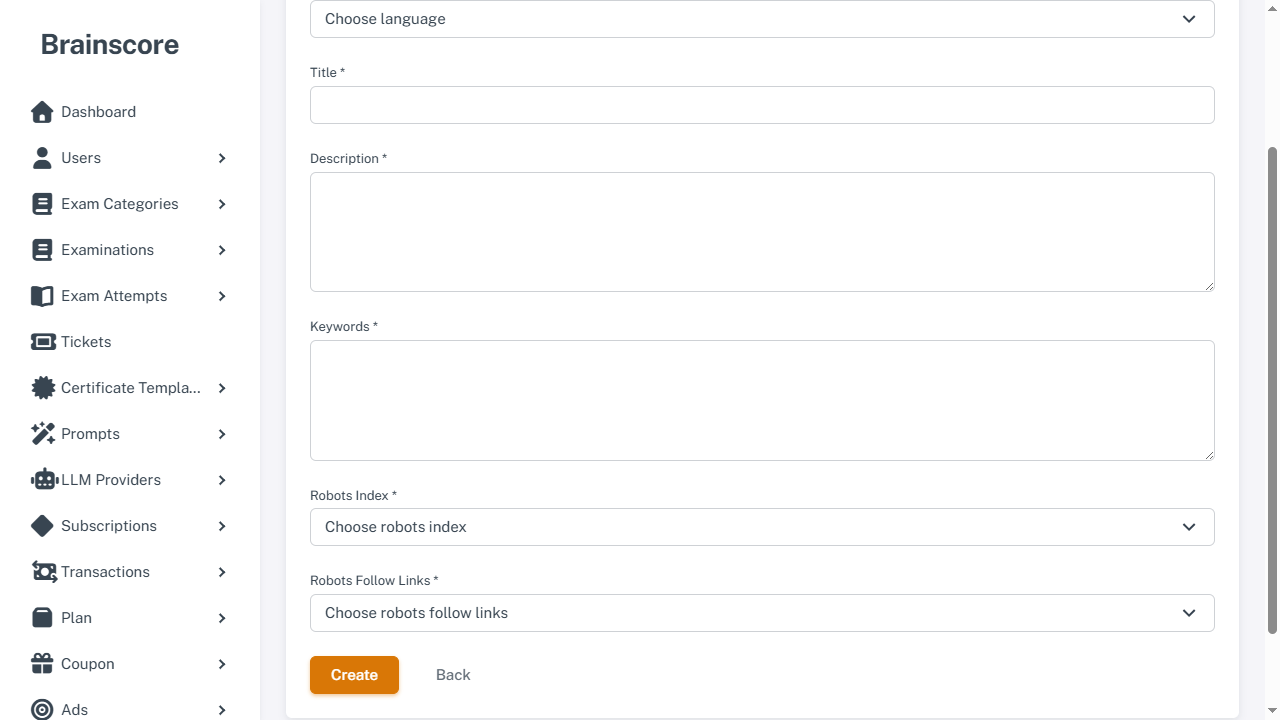
Form Fields
- Language *: Select the language for this SEO configuration (each language can only have one SEO configuration)
- Title *: Meta title tag (maximum 70 characters)
- Description *: Meta description tag (maximum 150 characters)
- Keywords *: Meta keywords (comma-separated, maximum 255 characters)
- Robots Index *: Control whether search engines should index pages
- Index: Allow search engines to index pages
- No Index: Prevent search engines from indexing pages
- Robots Follow Links *: Control whether search engines should follow links
- Follow: Allow search engines to follow links
- No Follow: Prevent search engines from following links
Usage Steps
- Click Add SEO button on the list page
- Select the language
- Enter the meta title (keep it under 70 characters)
- Enter the meta description (keep it under 150 characters)
- Enter keywords (comma-separated)
- Set robots index and follow links options
- Click Create to save
Important Notes
- Character Limits:
- Title: Maximum 70 characters (recommended for SEO)
- Description: Maximum 150 characters (recommended for SEO)
- Keywords: Maximum 255 characters
- Language Uniqueness: Each language can only have one SEO configuration
- Meta Tags: These settings are used in the HTML
<head>section and for Open Graph tags - Robots Settings:
- Use "Index, Follow" for pages you want search engines to index and crawl
- Use "No Index, No Follow" for pages you want to hide from search engines
- Best Practices:
- Write unique, descriptive titles for each language
- Include relevant keywords in descriptions
- Keep descriptions concise and compelling
- Use comma-separated keywords relevant to your content