Info
The Info page provides detailed information about the system and allows administrators to clear the application cache.
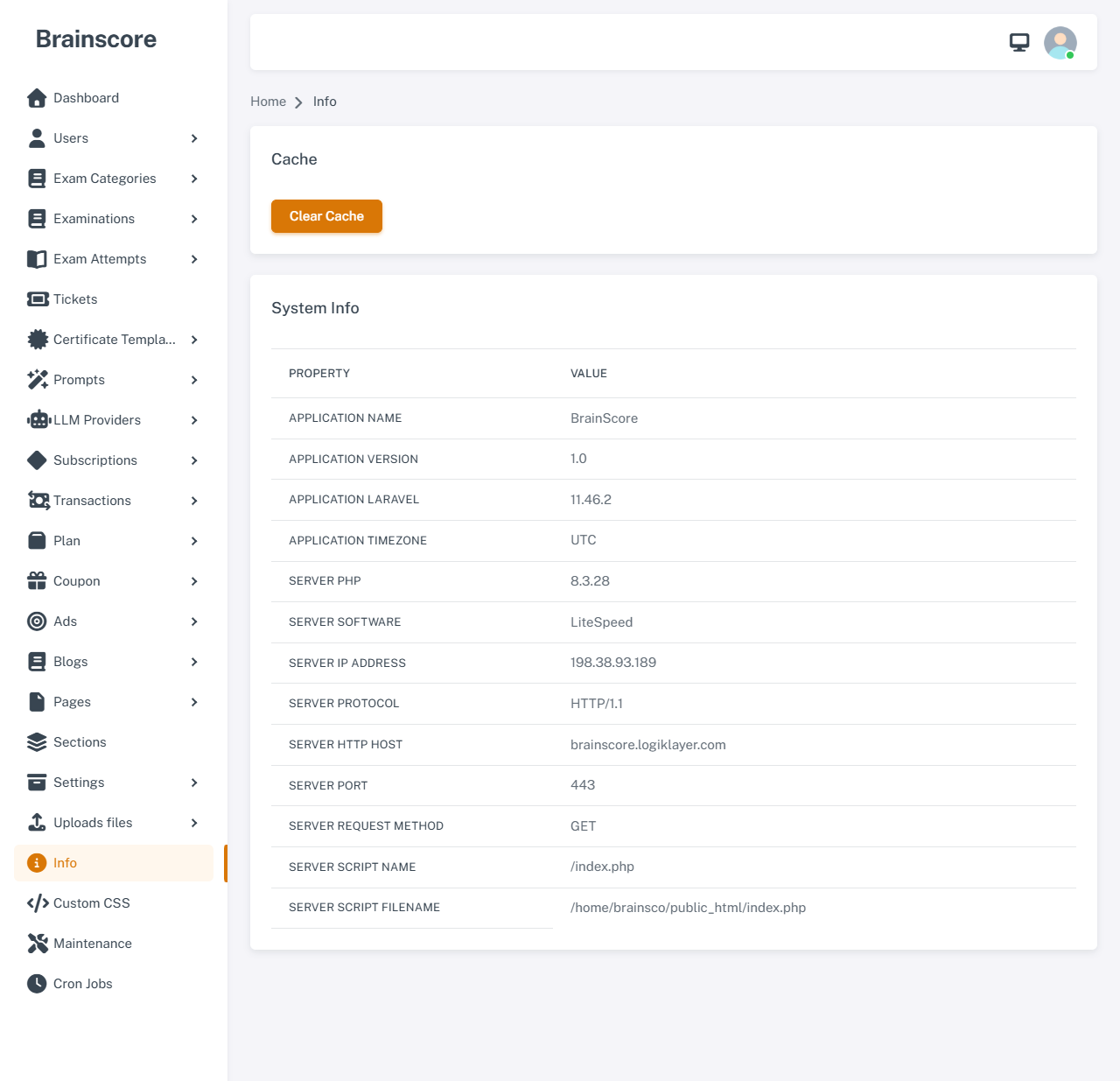
Clear Cache
The Clear Cache button allows you to safely clear all system cache.
Functionality
When you click the Clear Cache button, the system will perform the following operations:
-
Preserve Important Cache: The system automatically saves all important application cache (including database configuration, mail settings, storage settings, social login credentials, etc.) before clearing cache.
-
Clear Laravel Cache: Executes the
optimize:clearcommand to clear all cache created by Laravel framework, including:- Config cache
- Route cache
- View cache
- Application cache
-
Restore Important Cache: After clearing cache, the system automatically restores all the important cache that was previously saved.
-
Clear Log File: Removes the Laravel log file (
storage/logs/laravel.log) to free up disk space.
When to Use Clear Cache?
- After updating system configuration
- When encountering cache-related errors
- After updating code or changing configuration files
- When you want to refresh all system cache
- After installing or updating extensions/plugins
Important Notes
- The cache clearing process will not affect data in the database
- Important configurations will be automatically restored after clearing cache
- Processing time may take a few seconds depending on cache size
System Information
The Info page displays detailed information about the system and server:
Application Information
- Application Name: The name of the application
- Application Version: Current version of the application
- Application Laravel: Laravel framework version being used
- Application Timezone: Timezone configured for the application
Server Information
- Server PHP: PHP version running on the server
- Server Software: Web server software (e.g., Apache, Nginx)
- Server IP Address: IP address of the server
- Server Protocol: HTTP protocol being used (HTTP/1.1, HTTP/2)
- Server HTTP Host: Domain name or hostname of the server
- Server Port: Port that the web server is listening on
- Server Request Method: HTTP method of the current request
- Server Script Name: Path of the script being executed
- Server Script Filename: Full path to the script file on the filesystem
Purpose
The Info page is useful for:
- Checking system version and configuration
- Verifying server information when troubleshooting issues
- Providing information to developers when technical support is needed
- Monitoring and managing the system environment